Nutrition meets strength

Every meal.
Every rep.
One plan.

Your food diary and your training plan belong together. Track what you eat, log what you lift, and see your progress in one place.

Available for iPhone. With an Apple Watch companion.

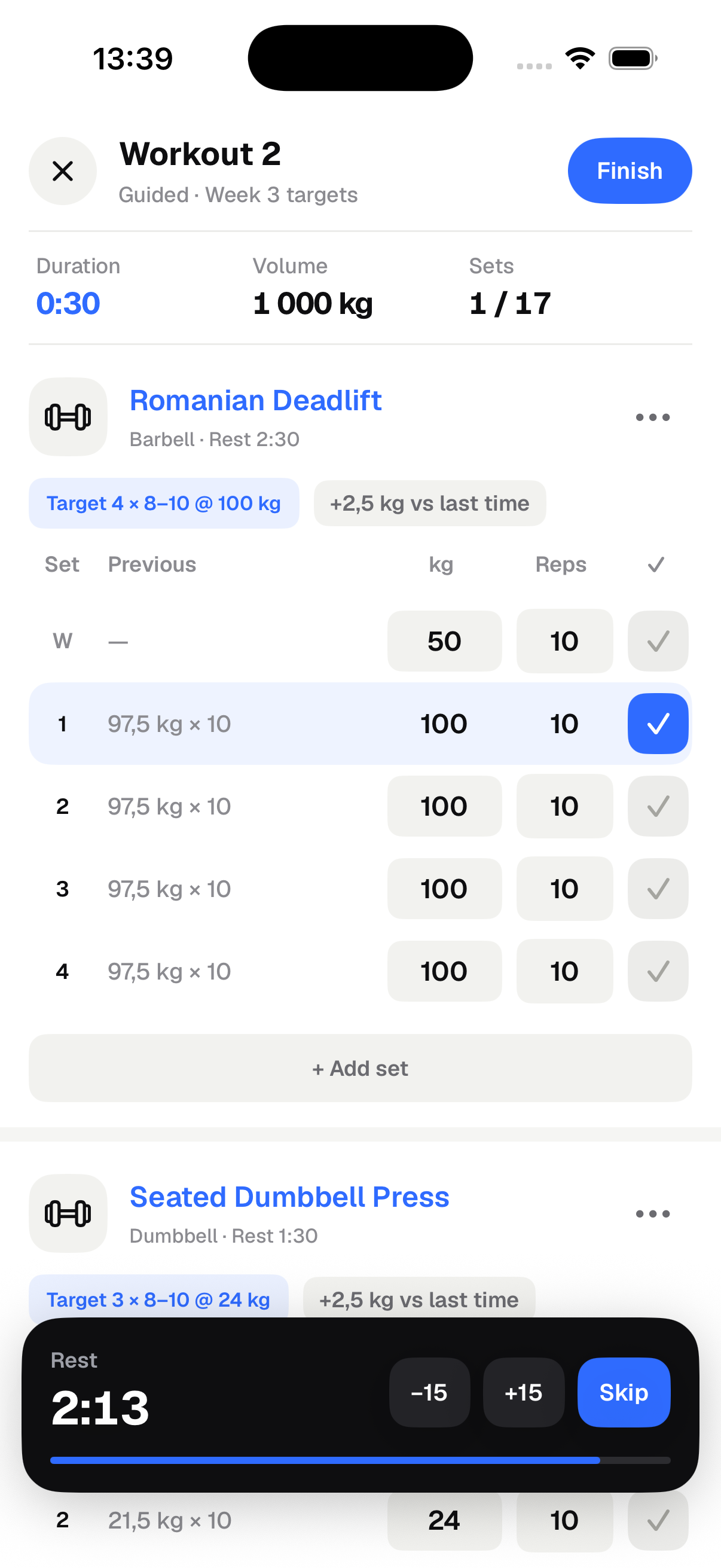
Calift workout log showing previous weights, completed sets, and a rest timer.
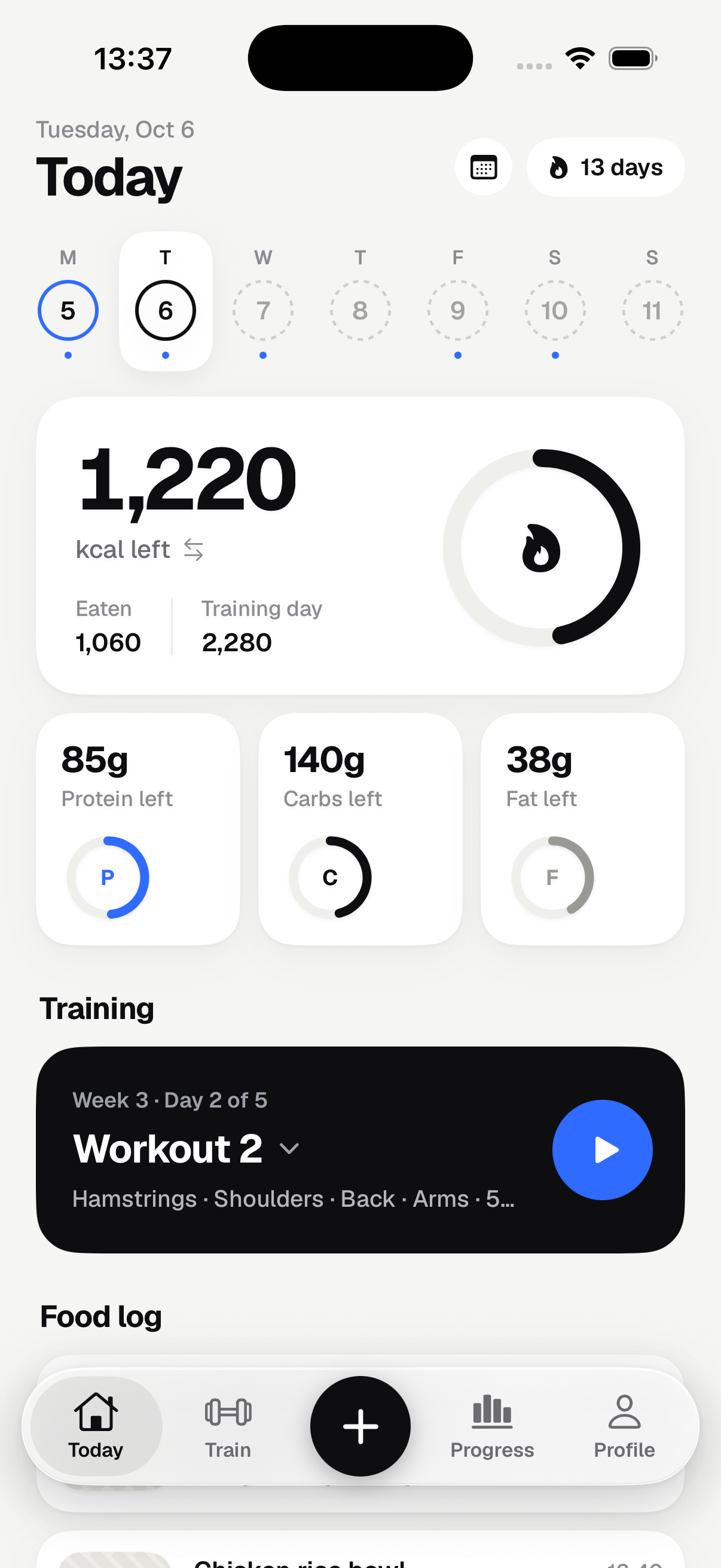
Calift Today screen with calorie and macro targets alongside the day's workout.
Inside Calift · Screens show sample data

Calories & macros

Workouts & routines

Your progress, together

Built around your week

Training day?
Fuel it differently.

Calift gives training days and rest days their own calorie targets. Protein stays consistent, with more carbs for the days you lift.

A week in balanceExample plan
  1. 2,280 caloriesMonTrain
  2. 2,280 caloriesTueTrain
  3. 2,280 caloriesWedTrain
  4. 1,980 caloriesThuRest
  5. 2,280 caloriesFriTrain
  6. 2,280 caloriesSatTrain
  7. 1,980 caloriesSunRest
Same protein. Different fuel.Illustrative targets. Your plan uses your profile, goal, and training schedule.

The everyday essentials

Less switching apps.
More showing up.

01 / Food

However you eat.
However you log.

Search a food, scan a barcode, or save a meal you make on repeat. Use a photo or a description for an AI nutrition estimate, then review the ingredients and portions before saving.

  • Photo estimates
  • Barcode scanning
  • Saved meals

AI sharing is optional. Every estimate stays editable.
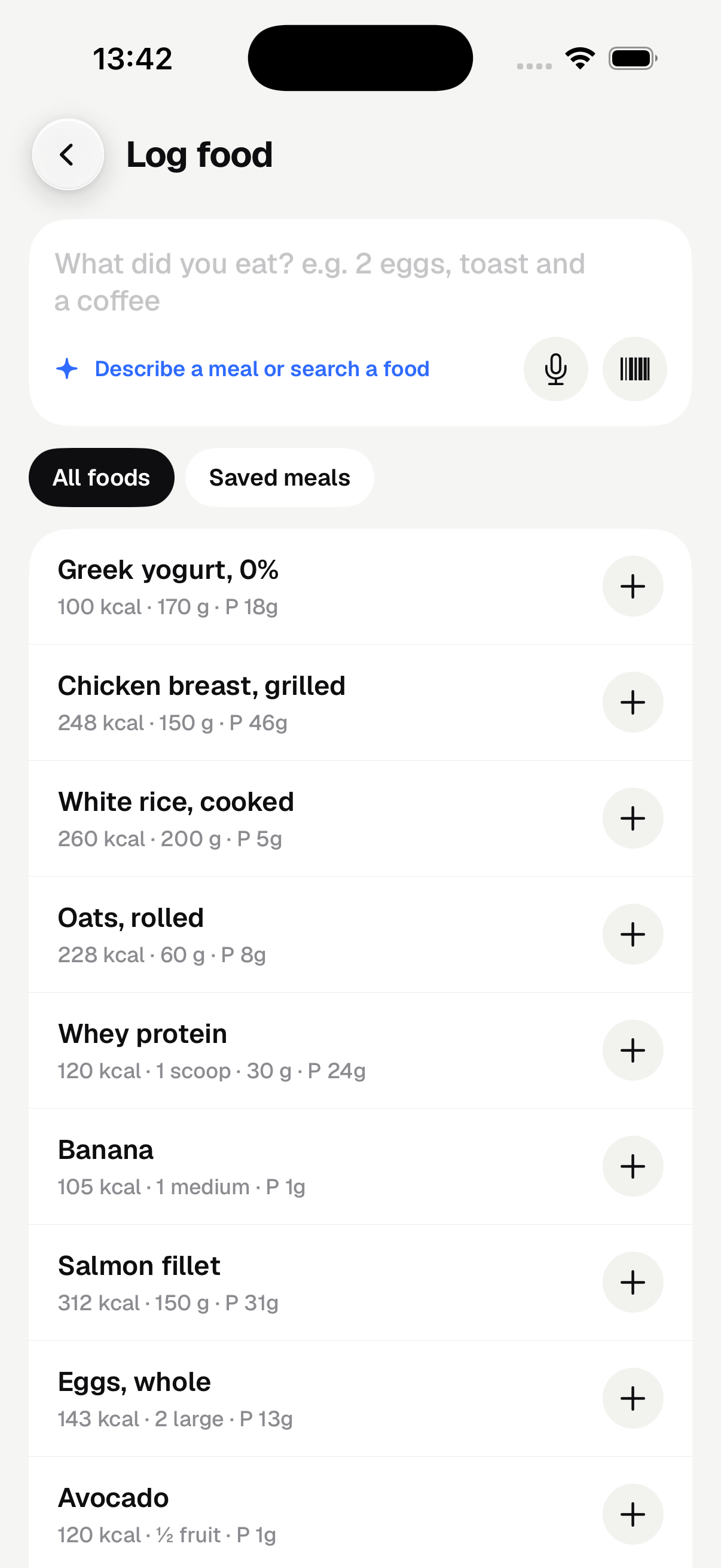
Food logging screen with food search, barcode scanning, and saved meals.

02 / Training

Know your last set.
Make this one count.

Follow a routine or build your own. Your previous weights and reps are right there as you train. Log a set, take your rest, and pick up where you left off.

  • Previous sets
  • Rest timers
  • Supersets
  • Apple Watch

Your program, your exercises. Edit any workout.

Workout screen with a set-by-set weight comparison and an active rest timer.

03 / Progress

See how your
days add up.

Follow your weight trend, training volume, and personal records. Look back at meals and workouts in your calendar, with the context that a single weigh-in can't give you.

  • Weight trends
  • Workout history
  • Apple Health

Connect Apple Health and choose what to share.

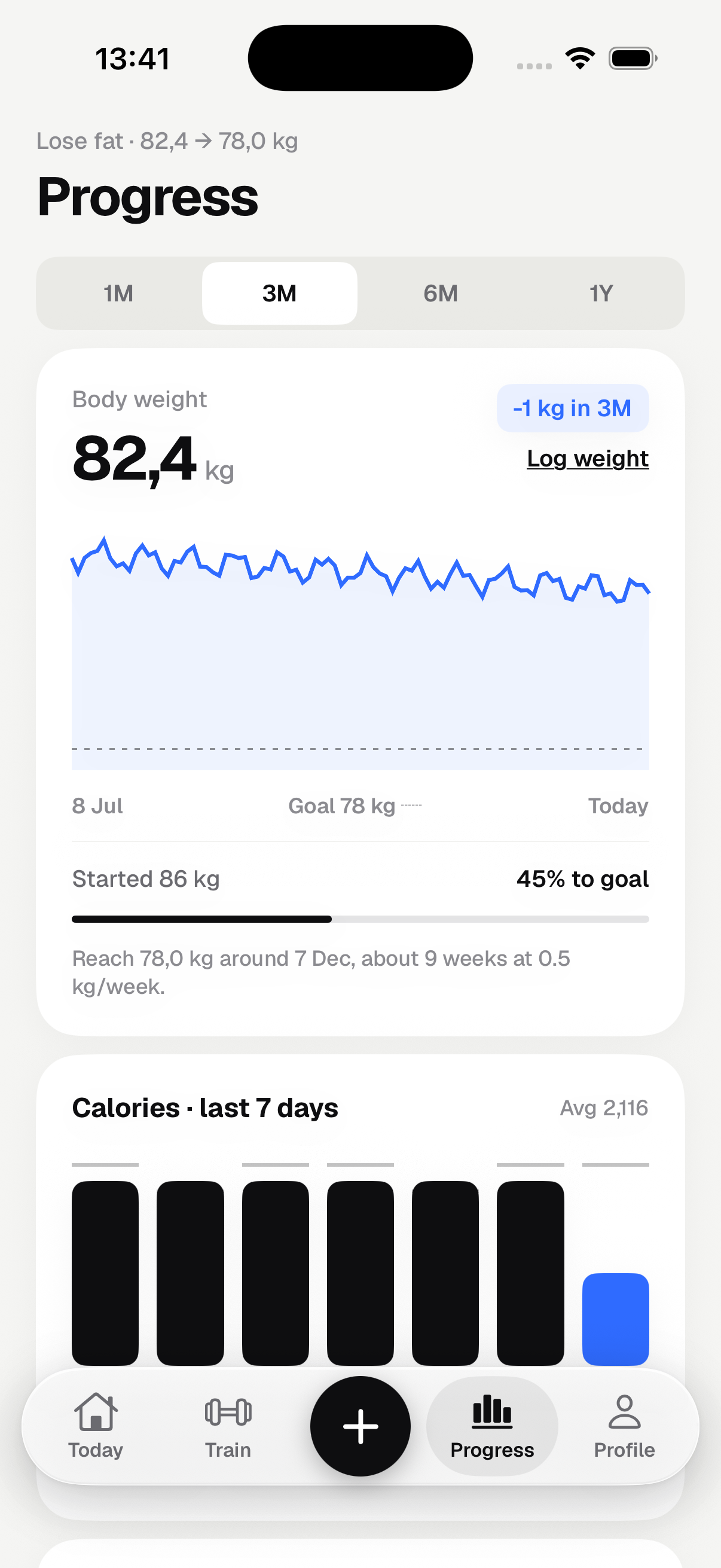
Progress screen showing a sample body-weight trend and a week of calorie logs.

Screens show sample data.

A few things to know

Before your
first rep.

Where can I download Calift?

Download Calift on the App Store for your iPhone. An Apple Watch companion is included for logging from your wrist.

Do I need a subscription?

A monthly or yearly subscription is required to activate a personal plan. Prices and any eligible introductory offer are shown in the app before you purchase. AI features have usage limits.

Do I have to use AI?

No. You can search foods, scan barcodes, enter nutrition, and build workouts yourself. AI sharing is optional. If you use it, review food estimates and training suggestions before saving them.

Does it work with Apple Watch?

The Apple Watch companion lets you log sets, saved meals, and body weight, then sync them through your iPhone. Apple Health is a separate, optional connection with controls for what you import or export.

Available on the App Store

Make room for
your next good habit.

Food, training, and progress. All in Calift.

Download Calift For iPhone and Apple Watch